



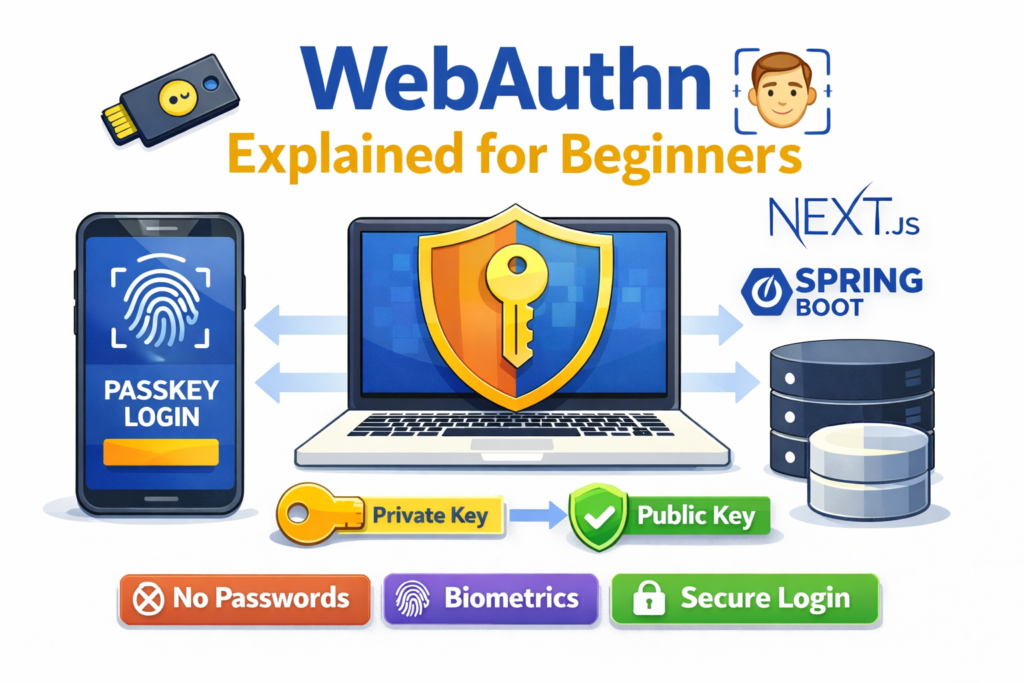
In my initial days. As a bachelor-level computer science student, I used to build small projects using React, Next.js, and Spring Boot.
Every project starts the same way: login and registration using passwords. At first, it feels normal.
But later found a real usecase problem:
- Users usually forget their passwords
- Weak passwords get hacked
- Password reset logic becomes messy
- Phishing attacks steal credentials.
The following days, while logging into my Google account, I noticed something different
” Use your fingerprint to sign in.”
No Password, no OTP, just fingerprint. That’s when I discovered WebAuthn and Passkeys.
Let’s understand: WebAuthn first.
WebAuthn (Web Authentication API) is a modern web standard that allows users to log in without passwords. Instead of typing a password, it is a browser API that lets users authenticate using cryptographic keys instead of passwords. Users can log in using:
- Fingerprint
- Face recognition
- Device PIN
- Security Key (USB)
This user-friendly name for this technology is Passkey.
Why Passwords Are a Problem
Before understanding WebAuthn, we must understand why passwords fail.
Problems with passwords:
- Users reuse passwords
- Passwords can be guessed or brute-forced
- Passwords can be stolen using phishing
- Even hashed passwords can be leaked
Passwords are a shared secret:
- User knows it
- Server stores it (hashed)
This shared secret is the weakness.
The Core Idea Behind Passkeys (Very Important)
The server never knows your secret.
This is the biggest difference.
With WebAuthn:
- The private key stays on the user’s device
- The public key is stored on the server
The private key is never sent over the internet.
A Real-Life Analogy (Easy to Understand)
Imagine this situation:
- Your phone = a smart key
- Your website server = your house
Registration (Creating a Passkey)
- You create a unique key for your house
- You keep the real key with you (private key)
- You give the lock design to the house (public key)
Login (Using the Passkey)
- The house asks: “Prove you have the key”
- You unlock it using your fingerprint
- The house checks and opens
You never give the real key to anyone.
How WebAuthn Works (High-Level Flow)
WebAuthn has two main steps:
- Registration
- Authentication
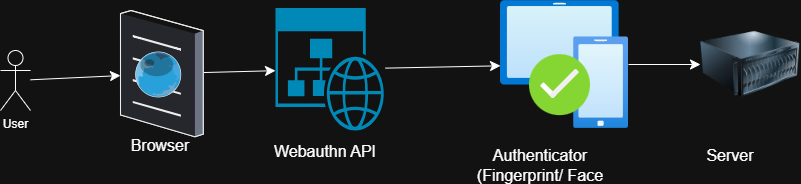
Step 1: Passkey Registration (Sign Up)
What happens behind the scenes?
- User clicks “Create Passkey.”
- The server generates a random challenge.
- Browser calls navigator.credentials.create()
- Authenticatory (phone/laptop) creates a key pair
- The public key is sent to the server
- The server stores the public key
Simple Diagram
Step 2: Passkey Authentication (Login)
Login flow:
- User clicks “Login with Passkey”.
- The server sends a challenge.
- Browser calls navigator.credentials.get()
- Authenticator signs the challenge
- Server verifies the signature
- User is logged in
No password involved.
What Is an Authenticator?
An authenticator is a device that stores your passkey. E.g., your phone, laptop, and a USB security key. It sores the private key and performs biometric verification to sign challenges securely.
What Does the Browser Do?
The browser acts as a middleman. It talks to the authenticator. Handle cryptography and ensure the request comes from the correct domain.(Note: Developers don’t write crypto code manually. )
What Does the Backend Do? (Spring Boot Example)
The backend is responsible for:
During registration:
- Creating a challenge
- Storing:
- Public key
- Credential ID
- User handle
During login:
- Creating a challenge
- Verifying:
- Signature
- Challenge (one-time random value)
- Public key match
The backend never stores passwords.
Final Thoughts
At first, WebAuthn sounds complicated. But at its core, it’s simple: Instead of sharing a secret, users prove they own a key.
For students/learners building modern web apps, learning WebAuthn is a powerful skill that sets you apart.
Let me know your opinion about Webauthn API in the comment section.
