



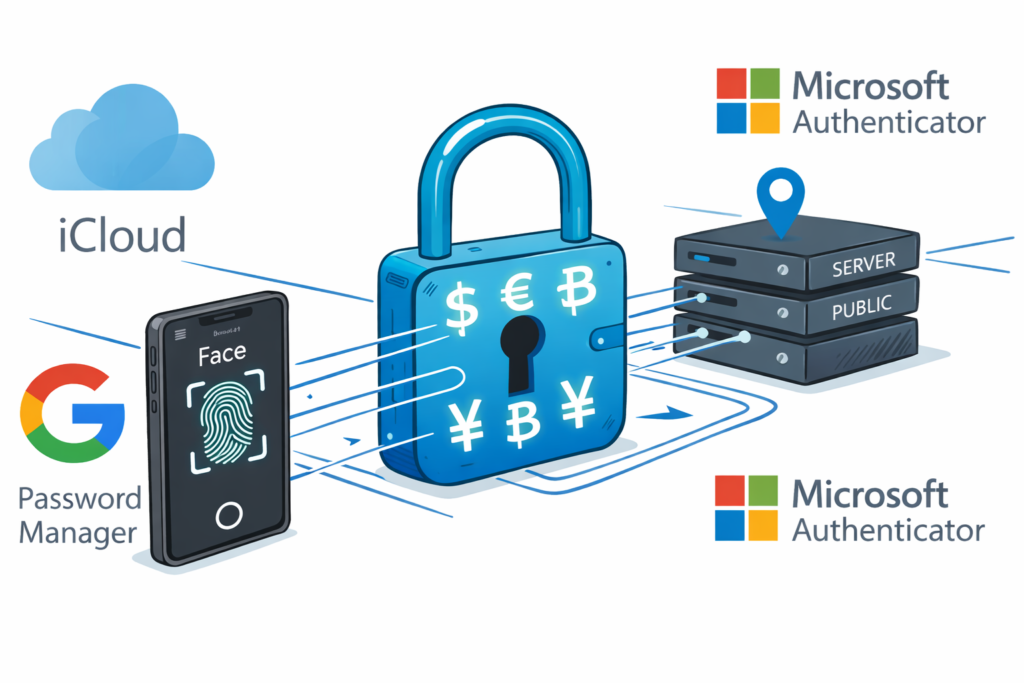
Passwords are the key credentials that is used from many decades. Different practice like “Inclusion of alphabaet, number and symbol, OTP, Two-Way verification, Authenticator” have been followed to keep the password secure. Still mbllions of account get hacked.
If your password gets breached (hashed or not), It could end up for sales on the dark web. Passwords are a single piece of static information.
If someone gets your password, they can impersonate you until you change it. We add layers like OTP codes or push notification for security, which adds friction, but still isn’t bulletproof.
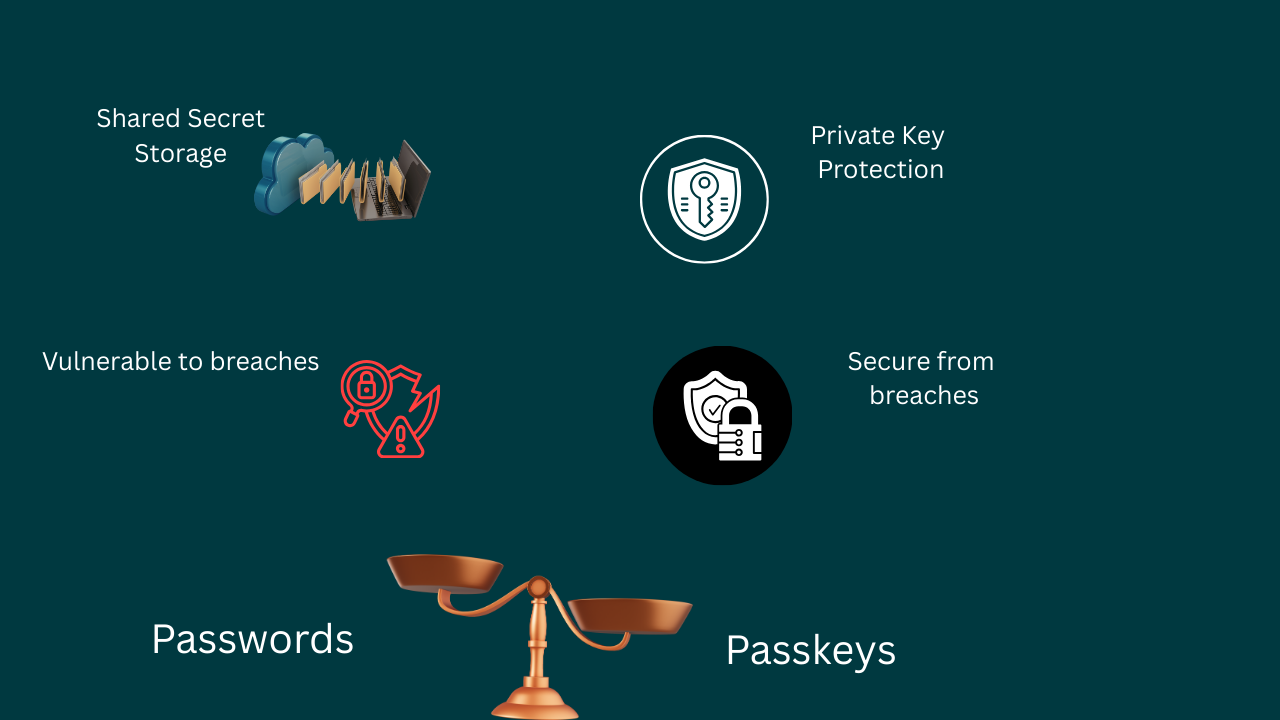
So the company like Apple, Microsoft, Google bring out the secure way to keep your account safe, that is “Passkey”
Passkeys are a modern replacement of passwords. Instead of remembering a secret, your device generates and stores a unique cryptographic key pair for each account.
Key Difference:
| Aspect | Passwords | Passkeys |
| Basic Idea | User remembers a secret text (password) | Device generates and stores a cryptographic key pair |
| Type of Secret | Shared secret | No shared secret |
| Server Storage | Server stores the password (or its hash) | Server stores only the public key |
| Private Key | Not applicable | Private key never leaves the user’s device |
| Risk in Data Breach | High, passwords can be leaked or cracked | Very low, stolen public keys are useless |
| Login Process | User sends password to server | Device signs a server challenge using private key |
| Exposure to Hackers | Vulnerable to breaches, phishing, brute-force attacks | Secure against breaches and phishing |
| Device Dependency | Can be used from any device | Tied to trusted user devices |
| Authentication Factors | Something you know | Something you have + something you are |
| Biometric Protection | Not required | Protected by Face ID, Touch ID, fingerprint, etc. |
| Phishing Resistance | Weak | Strong |
| Credential Stuffing | Possible | Nearly impossible |
| Brute-force Attacks | Possible | Not feasible |
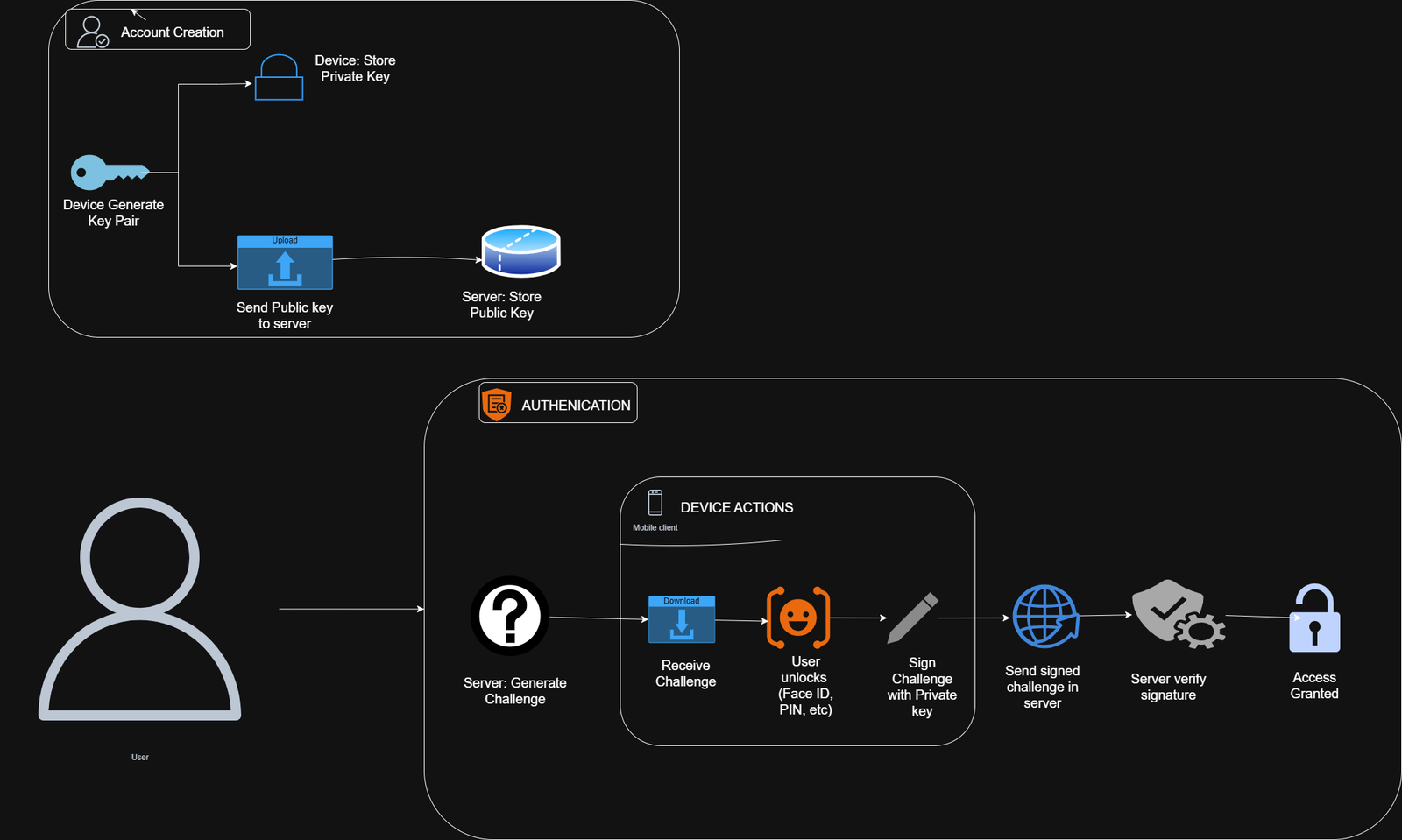
Passkey Account Creation and Authentication
When you create an account, your device generates a key pair:
- The private key stays securely on your device.
- The public key is sent to the server and stored there.
Authentication Process:
- The server generates a random challenge.
- Your device receives the challenge.
- You unlock your device (using Face ID, fingerprint, PIN, etc.).
- The private key signs the challenge.
- Your device sends the signed challenge back to the server.
- The server verifies the signature using the stored public key.
- If valid, access is granted.
Crucially, there’s no shared secret, such as a password. The server can’t reveal your private key, and phishing sites won’t have the correct public key to verify fake signatures.
If you enable sync, your private keys are end-to-end encrypted and stored in your cloud keychain (iCloud Keychain, Google Password Manager, or Microsoft Authenticator). They can be securely restored to new devices. Without sync, you can still log in from another device using QR codes, handshakes, or Bluetooth proximity.
Passkey Security Features
- Private keys are protected by device secure hardware (Secure Enclave on Apple devices, TPM chip on Windows machines).
- Unlocked only by biometrics or device PIN.
- Nothing reusable is sent over the network—only one-time challenge signatures.
- Device-bound keys: Stealing the public key is useless without your device.
Cross-Platform Compatibility and Enhanced Security
Passkeys rely on public-key cryptography (similar to HTTPS and SSH) and use open standards: FIDO2 and WebAuth. Major companies like Apple, Google, and Microsoft are collaborating to ensure broad compatibility.
A passkey created on your iPhone can unlock an app on your Windows PC or a website in Chrome on Android.
Passkeys sync securely via:
- iCloud Keychain
- Google Password Manager
- Microsoft Authenticator
This lets you log in across devices without manual credential transfers.
Key Benefits of Passkeys
- Enhanced Security: Greatly reduces phishing and credential stuffing.
- Cross-Compatibility: Works across devices, browsers, and platforms.
- User Convenience: Simplifies login with fast biometric authentication.
Real-World Example: Passkeys on GitHub
Account Creation:
- Enter your username and email.
- Instead of creating a password, your browser prompts you to create a passkey.
- Confirm and authenticate with Face ID, Touch ID, or PIN.
- Your device generates the key pair and sends the public key to GitHub.
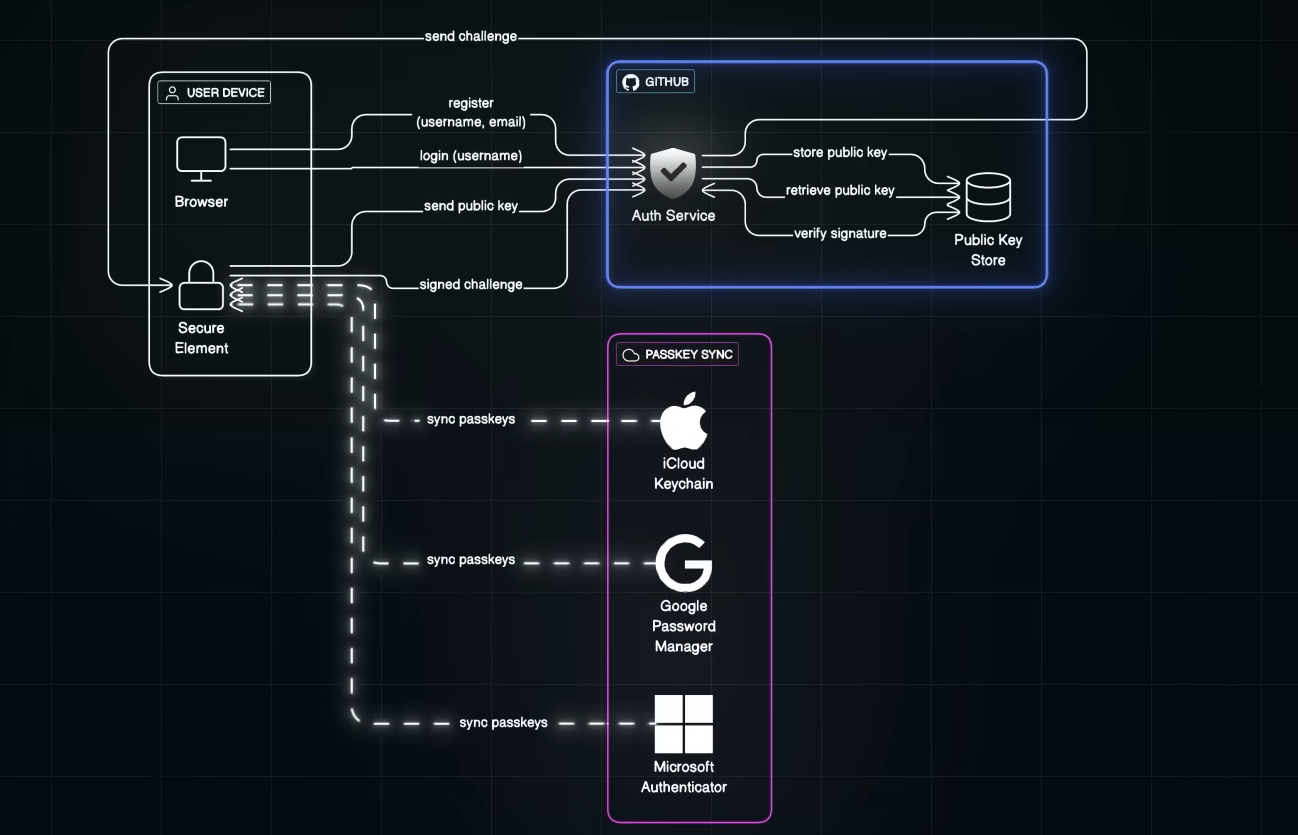
Login Flow:
- Enter only your username.
- GitHub sends a unique challenge.
- You approve with biometrics → device signs the challenge.
- GitHub verifies the signature with your stored public key.
- You’re logged in—no password transmitted or stored.
Even if GitHub’s database is breached, attackers get only useless public keys.
Why Passkeys Stay Secure After Data Breaches
Attackers obtain only public keys, which can’t be used for authentication without your private key and device. From the user’s view, it’s simple:
Enter username → approve with biometrics → logged in.
Mass Adoption of Passkeys
Cross-compatibility drives fast adoption. It’s quicker and easier for users, just approve via Face ID or fingerprint. For companies, it reduces phishing, credential stuffing, and breach fallout.
Major tech players aligning on standards means the shift is accelerating.
Adoption Challenges
While passkeys are a major leap forward, challenges remain:
- Limited Support: Not all websites and apps support passkeys yet.
- Gradual Transition: Users may manage both passwords and passkeys temporarily.
- Device Dependency: Secure sync and recovery are essential.
- User Awareness: Many still need education on how passkeys work and why they’re safer.
- Ecosystem Adoption: Passkeys need to become the default across platforms for full potential.
Passkeys represent the future of secure, frictionless authentication. As support grows in 2026 and beyond, they’re poised to make traditional passwords obsolete. Start using them today on supported services like GitHub, Google, Apple, and Microsoft accounts.
