



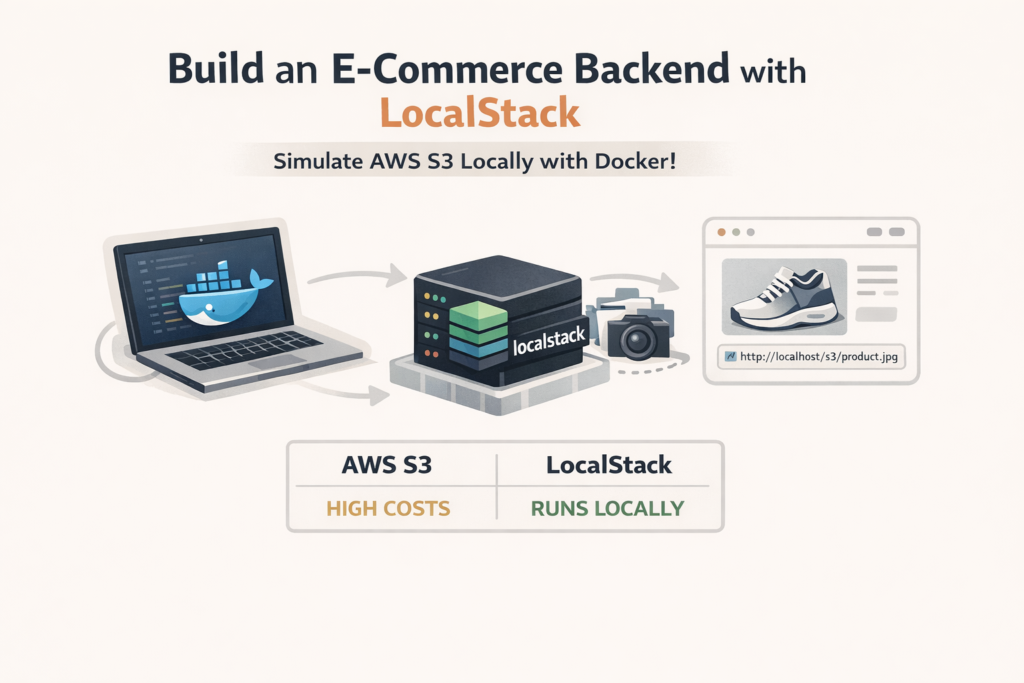
Suppose you are building an e-commerce website, you list the product with its images, and for that, the cost can become high because every upload, download, and API request charges money, and as your website grows, the bill increases quickly. It will be really hectic for debugging; you can’t find it without logging into the console. and Sharing setups with your team means everyone needs AWS credentials.
Definition of S3:
Amazon Simple Storage Service(S3) is an object storage service that gives you a highly scalable and durable way to store and retrieve data. In S3, a bucket is like a folder, and an object is like a file.
Each object has important details such as a unique key (its name), the actual content), a version ID (for version control), and metadata (extra information about the file). S3 can store an unlimited number of objects, which helps you manage data effieiently and seurely.
But in real life, working with S3 can sometimes feel slow and frustrationg , You might find yourself waiting for responses or checking the console again and again while debugging. That’s were LocalStack is an open-source tool that simulates AWS services on your own computer. It lets you use S3 features locally., such as createing buckets, uploading files, and managing objects, without using the real cloud. You only need Docker(you can install localstack in your system too ), and it’s free and fast. You can test S3 and other AWS services offline. In short, you get the same APIs, but everything runs on your machine, so you can build and test quickly without big bills or delays.
. Prerequisite:
- Install Docker Desktop
- Java JDK 17 or higher (Spring Boot 3.x loves it).
- Spring Boot Project: Start one via start.spring.io with Web, Lombok (optional of boilerplate), and JPA (for a simple DB). Add Spring Cloud AWS later.
- Tools: Maven or Gradle- I’ll use Gradle for examples.
No AWS account needed. LocalStack uses fake creds like “test/test”. Brief workflow:
- Setup localStack in docker-compose.yml file to run LocalStack with S3 enabled.
- Configure LocalStack like AWS S3
- Use dummy credentials and a local endpoint (no AWS account required)
- In your service, handle Multipart File uploads to S3.
- Test it Out: Upload a product image and retrieve it.
We’ll use Spring Cloud AWS for simplicity – it wraps the SDK nicely Allright, lets dive deeper into this like a full-blown guide. I’ll walk you through everything step by step, with code snippets, explanations, and even a table comparing real AWS vs. LocalStack. By the end, you’ll have a working e-commerce backend that simulates S3 uploads for product images. Think of this as your go-to reference- I’ve pulled from real-world setups I’ve used in production apps, tweaked for ease. Why LocalStack Fits E-Commerce like a Glove In e-commerce, S3 shines for storing assets like product photos. Users upload images when adding items, and your app serves them via URLs. But in dev, you don’t want to hit real S3. Localstack lets you create buckets, upload objects, and generate presigned URLs- all locallly. It’s perfect for testing edge cases, like large files of access controls, without AWS fees. From my experience, teams using LocalStack cut dev time by 30-50% on cloud-integrated features. It’s also great for CI/CD pipelines, but we’ll stick to local here. Lets dive into its implementation part: 1. Required Dependencies
implementation("org.springframework.boot:spring-boot-starter-data-jpa")implementation("org.springframework.boot:spring-boot-starter-web")implementation("io.github.cdimascio:dotenv-java:3.2.0")testImplementation("org.springframework.security:spring-security-test")implementation("org.springframework.boot:spring-boot-devtools:3.4.3")// AWSimplementation("software.amazon.awssdk:s3:2.31.6")
2. Docker Compose file setup
services:localstack:image: localstack/localstack:latest # Uses the latest version of LocalStack.container_name: localstack # Assigns a fixed name to the container.ports:- "4566:4566"# ports:# - "4566:4566" # Maps the LocalStack API gateway port.# - "4572:4572" # Maps the S3 service port.environment:- SERVICES=s3 # Enables only the S3 service in LocalStack.- DEFAULT_REGION=us-west-2 # Sets the AWS region for the local environment.volumes:- ./localstack/s3:/docker-entrypoint-initaws.d # Mounts a local directory to persist data across container restarts.networks:- dev_networknetworks:dev_network:driver: bridge
3. application.properties
# AWS Configurationcloud.aws.s3.endpoint=${AWS_ENDPOINT:http://localhost:4566}cloud.aws.region.static=${AWS_REGION:us-east-1}cloud.aws.credentials.access-key=${AWS_ACCESS_KEY_ID:test}cloud.aws.credentials.secret-key=${AWS_SECRET_ACCESS_KEY:test}cloud.aws.s3.bucket-name=${AWS_S3_BUCKET_NAME:blog-images}cloud.aws.s3.path-style-access=true# for production i.e. AWS it should be false it will use virtual thread# Multipart Configurationspring.servlet.multipart.enabled=truespring.servlet.multipart.max-file-size=20MBspring.servlet.multipart.max-request-size=20MBspring.servlet.multipart.file-size-threshold=2MB# FILE>2MB will be stored on the disk
4. S3Services.java
package org.blogapp.dg_blogapp.service;import jakarta.annotation.PostConstruct;import lombok.RequiredArgsConstructor;import lombok.extern.slf4j.Slf4j;import org.springframework.beans.factory.annotation.Value;import org.springframework.stereotype.Service;import org.springframework.web.multipart.MultipartFile;import software.amazon.awssdk.core.sync.RequestBody;import software.amazon.awssdk.services.s3.S3Client;import software.amazon.awssdk.services.s3.model.CreateBucketRequest;import software.amazon.awssdk.services.s3.model.HeadBucketRequest;import software.amazon.awssdk.services.s3.model.PutObjectRequest;import software.amazon.awssdk.services.s3.model.S3Exception;/*** Service for interaction with Amazon aws to upload the manage files*/@Service@Slf4j@RequiredArgsConstructorpublic class S3Service {private final S3Client s3Client;@Value("${cloud.aws.s3.bucket-name}")private String bucketName;@PostConstructpublic void ensureBucketExists() {try {s3Client.headBucket(HeadBucketRequest.builder().bucket(bucketName).build());log.info(" Bucket '{}' already exists", bucketName);} catch (S3Exception e) {if (e.statusCode() == 404) {log.info(" Bucket '{}' not found, creating...", bucketName);s3Client.createBucket(CreateBucketRequest.builder().bucket(bucketName).build());} else {throw e;}}}public void uploadFileIntoS3(MultipartFile file, String key) {try {log.info("Uploading image into s3");s3Client.putObject(PutObjectRequest.builder().bucket(bucketName).key(key).build(),RequestBody.fromBytes(file.getBytes()));} catch (Exception e) {log.error("unable to upload image:{}", e.getMessage());throw new RuntimeException(e);}}}
5. BlogPostService.java
package org.blogapp.dg_blogapp.service;import jakarta.validation.Valid;import lombok.RequiredArgsConstructor;import lombok.extern.slf4j.Slf4j;import org.blogapp.dg_blogapp.dto.BlogPostRequestDTO;import org.blogapp.dg_blogapp.dto.BlogPostResponseDTO;import org.blogapp.dg_blogapp.exception.BlogPostNotFoundException;import org.blogapp.dg_blogapp.exception.UnauthorizedException;import org.blogapp.dg_blogapp.mapper.BlogPostMapper;import org.blogapp.dg_blogapp.model.BlogPost;import org.blogapp.dg_blogapp.model.Role;import org.blogapp.dg_blogapp.model.User;import org.blogapp.dg_blogapp.repository.PostRepository;import org.blogapp.dg_blogapp.repository.UserRepository;import org.blogapp.dg_blogapp.utils.FileNameGenerator;import org.springframework.security.authentication.AnonymousAuthenticationToken;import org.springframework.security.core.Authentication;import org.springframework.security.core.context.SecurityContextHolder;import org.springframework.stereotype.Service;import org.springframework.transaction.annotation.Transactional;import org.springframework.validation.annotation.Validated;import org.springframework.web.multipart.MultipartFile;import java.util.List;import java.util.stream.Collectors;/*** Service class for managing blog post operation*/@Service@Validated@RequiredArgsConstructor@Slf4jpublic class BlogPostService {private final PostRepository postRepository;private final BlogPostMapper blogPostMapper;private final S3Service s3Service;private final UserRepository userRepository;private final FileNameGenerator fileNameGenerator;/*** Creates a new blog post* @param postRequestDTO the blog post request data* @param image the URL of the uploaded image* @return the created BlogPostResponseDTO*/@Transactionalpublic BlogPostResponseDTO createPost(MultipartFile image, @Valid BlogPostRequestDTO postRequestDTO) {log.info("Creating new blog post with title: {}", postRequestDTO.getTitle());User currentUser= getCurrentUser();String imageUrl = uploadImageFile(currentUser.getId(), image);BlogPost post = blogPostMapper.toEntity(postRequestDTO);post.setUser(currentUser);post.setImageUrl(imageUrl);BlogPost savedPost = postRepository.save(post);return blogPostMapper.toDto(savedPost);}}
6. BlogPostController.java
package org.blogapp.dg_blogapp.controller;import io.swagger.v3.oas.annotations.Operation;import io.swagger.v3.oas.annotations.responses.ApiResponse;import io.swagger.v3.oas.annotations.responses.ApiResponses;import jakarta.validation.Valid;import lombok.RequiredArgsConstructor;import lombok.extern.slf4j.Slf4j;import org.blogapp.dg_blogapp.dto.BlogPostRequestDTO;import org.blogapp.dg_blogapp.dto.BlogPostResponseDTO;import org.blogapp.dg_blogapp.service.BlogPostService;import org.springframework.http.HttpStatus;import org.springframework.http.ResponseEntity;import org.springframework.validation.annotation.Validated;import org.springframework.web.bind.annotation.*;import org.springframework.web.multipart.MultipartFile;import java.util.List;@RestController@RequestMapping("/blog")@Validated@RequiredArgsConstructor@Slf4jpublic class BlogPostController {private final BlogPostService blogPostService;/*** Creates a new blog post with an optional image.** @param requestDTO the blog post data* @param image the optional image file* @return the created blog post*/@Operation(summary = "Create a new blog post", description = "Creates a blog post with optional image upload")@ApiResponses({@ApiResponse(responseCode = "201", description = "Post created"),@ApiResponse(responseCode = "400", description = "Invalid input"),@ApiResponse(responseCode = "401", description = "Unauthorized")})@PostMapping("/create")public ResponseEntity<BlogPostResponseDTO> createPost(@Valid @ModelAttribute BlogPostRequestDTO requestDTO,@RequestPart(value = "image", required = false) MultipartFile image) {log.info("Received request to create post with title: {}", requestDTO.getTitle());BlogPostResponseDTO responseDTO = blogPostService.createPost(image,requestDTO);return ResponseEntity.status(HttpStatus.CREATED).body(responseDTO);}}
You can get full code on this provided link : https://github.com/dipeshghimire2004/blogapp/tree/final/blogapp
