



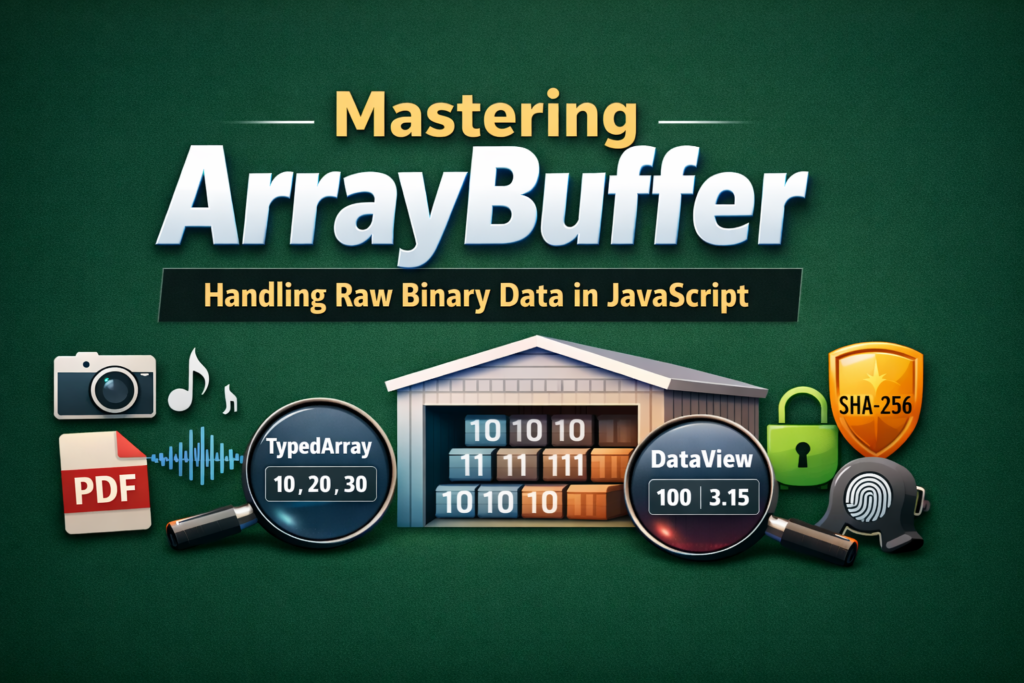
Imagine you’re building a simple web app. Everything is fine… until one day you need to upload an image, stream audio, verify a fingerprint/passkey, or process a PDF.
- Multiple Views, Same Memory (Powerful Concept)
- DataView: For Advanced Control
- Where You’ll See ArrayBuffer in Real Life
- Simple Cryptography Example (SHA-256 Hash)
- Correct Way (Using ArrayBuffer)
- Step 2: Hash using ArrayBuffer
- ArrayBuffer vs Normal Array (Quick Comparison)
- Simple Mental Model (Remember This)
Suddenly, JavaScript feels weak. Strings are slow. Objects are heavy. And your app starts lagging.
That exact problem is why ArrayBuffer exists. Let’s break down with a simple analogy.
The Real Problem (Before ArrayBuffer)
JavaScript was originally designed for:
- Buttons
- Forms
- Alerts
- Small Logic
So it worked mainly with:
- String
- number
- object
- array
But modern apps deal with raw binary data:
- photo/files
- Videos /Audio
- Network packets
- Cryptography
Now the issue here is. Strings are a bad fit for Binary Data
"ThisisByteSpaceNepalImageData"
This is slow, unreliable, and challenging to encode. JavaScript needed a low-level, efficient way to handle raw data. That solution is ArrayBuffer.
Think of ArrayBuffer like:
Imagine you go to a godown(warehouse).
- The godown is empty. It has a fixed size. It doesn’t care what you store inside.
- That godown = ArrayBuffer (It only provides space, not meaning.
So, What Exactly is ArrayBuffer?
ArrayBuffer is a fixed-size block of raw memory used to store binary data. It stores in bytes and has a fixed size, but it does not ensure any data types (int, float, string).
const buffer = new ArrayByffer(0);
This means you reserved 8 bytes of memory; that’s it, no reading, no writing yet. However, you cannot access ArrayBuffer data directly. An ArrayBuffer is like a land to build something on; you need tools to build something. JavaScript provides TypedArray and DataView for it.
TypedArray: Giving meaning to Bytes
TypedArray tells JS, that the given bytes should be treated as numbers.
const buffer = new ArrayBuffer(3);const view = new Uint8Array(buffer);view[0] = 10;view[1] = 20;view[2] = 30;view[3] = 40;
Simple analogy: buffer = raw memory, and view = interpretation of that memory. Think of it like, Same rice: Different dishes
Multiple Views, Same Memory (Powerful Concept)
This is where ArrayBuffer becomes dangerously powerful.
const buffer = new ArrayBuffer(4);const bytes = new Uint8Array(buffer);const numbers = new Uint16Array(buffer);bytes[0] = 1;bytes[1] = 0;console.log(numbers[0]); // 1
Same memory. Different understanding.
This is heavily used in:
- Game engines, Media processing
- Network protocols
DataView: For Advanced Control
If TypedArray is like a calculator, DataView is like a full engineering toolkit. Used when:
- Different data types in one buffer
- Control over byte order (important in networking)
const buffer = new ArrayBuffer(4);const view = new DataView(buffer);view.setInt32(0, 100, true);view.setFloat32(4, 3.15, true);console.log(view.getInt32(0, true));console.log(view.getFloat32(4, true));
Where You’ll See ArrayBuffer in Real Life
File Uploads
const buffer = await file.arrayBuffer();
Used in:
- Image validation/ PDF parsing/ File previews
Fetch API (Binary Responses)
const res = await fetch("/file.pdf");const buffer = await res.arrayBuffer();
WebSockets
socket.binaryType = "arraybuffer";
Cryptography & Passkeys
Modern auth (WebAuthn) runs on ArrayBuffer. When your browser creates of verifies a passkey (fingerprint, faceID, security key), it is not working wth text like:
"myPassword123"
Instead, it works with:
- Random bytes
- Cryptographic keys/ Hashes
- Signatures
And cryptography cannot trust strings because they can change due to encoding, and strings are not efficient, as well as unsafe for raw math operations. So cryptography needs exact bytes.
That’s where ArrayBuffer becomes mandatory.
Simple Cryptography Example (SHA-256 Hash)
Let’s say you want to hash some data in the browser. You CANNOT do this
crypto.subtle.digest("SHA-256", "hello");
This will fail. Because crypto.subtle.digest() it only accepts ArrayBuffer.
Correct Way (Using ArrayBuffer)
Step 1: Convert text => bytes
const text = "dipesh";const encoder = new TextEncoder();const data = encoder.encode(text);
What happened?
“hello” => bytes
Bytes are stored in a TypedArray, which internally uses an ArrayBuffer
Step 2: Hash using ArrayBuffer
const hashBuffer = await crypto.subtle.digest("SHA-256", data);
hashBuffer is an ArrayBuffer. At this level, the browser is doing raw math, Bit-by-bit operation, now text involved
WebAssembly (Future-Proof Skill)
WASM memory = ArrayBuffer.
ArrayBuffer vs Normal Array (Quick Comparison)
| FeatureArrayArrayBuffer | ||
| Data type | Any | Binary only |
| Size | Dynamic | Fixed |
| Speed | Slower | Very fast |
| Use case | UI logic | Files, crypto, media |
Simple Mental Model (Remember This)
ArrayBuffer = Raw memory
TypedArray / DataView = Glasses to see that memory
Once this clicks, everything becomes easy.
Bonus tip that you deserve here:
You don’t need an ArrayBuffer every day.
But when you need it, nothing else works properly.
- Learn it once, understand the idea.
- You’ll recognize the problem when it appears.
- And when it does, you’ll know the solution.
