



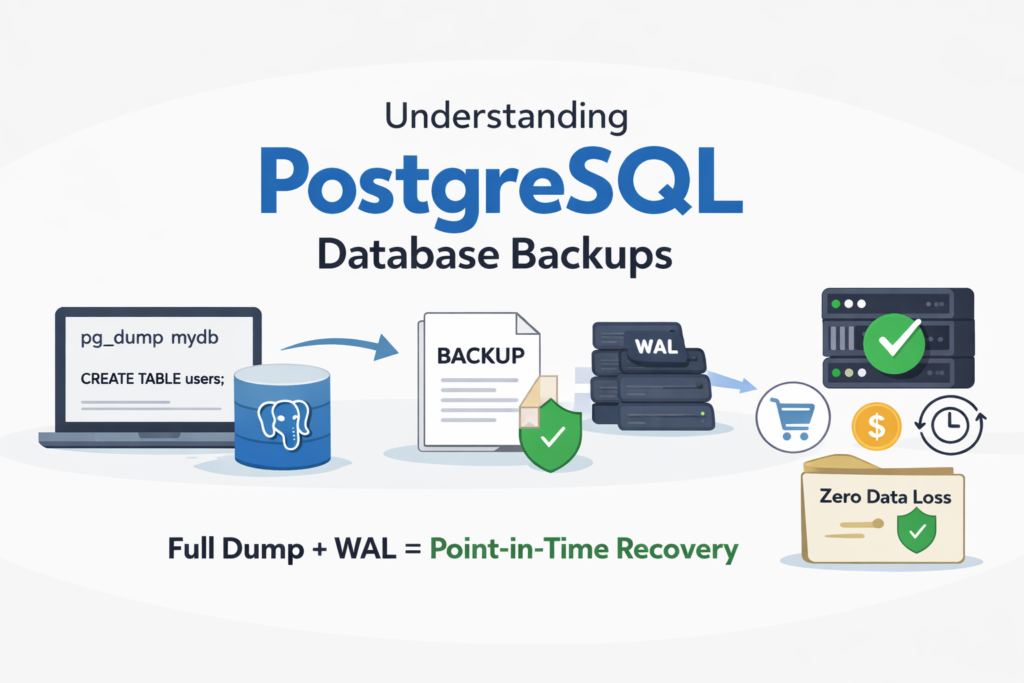
A dump file is basically a backup of your database. It contains all the data (tables, rows) and sometimes even the structure (schemas, functions, triggers) of your database. You can use it to store your database later or move it to another server. Think of it like taking a snapshot of your database. at a certain point in time.
Why do we need it?
- Usually, a dump file is used for backup. If something goes wrong, you can restore your data.
- Moving your database from one server to another.
- To share your database with someone else without giving them direct access to your server.
Let’s learn how dump file gets created?
In postgreSQL, there are two main tools:
- pg_dump : creates a dump of a single database.
- pg_dumpall : creates a dump of all databases in a PostgreSQL server.
i.e.
pg_dump -U username -d mydatabase -f backup.sql
Breakdown of each term:
- -U username : the database user
- -d mydatabase : the database you want to dump
- -f backup.sql : the file where the dump will be saved
The result is an SQL. You can open it in a text editor and see SQL commands like CREATE TABLE and INSERT INTO.
Restoring a dump
To restore a dump, you use psql:
psql -U username -d mydatabase -f backup.sql
This will create your database tables and insert all data from the dump file.
There are Different Types of PostgreSQL Dumps
PostgreSQL doesn’t create just one type of dump. There are formats.
The main ones are:
- Plain SQL format (.sql)
- Custom format(.dump)
- Directory format
- Tar format
Let’s focus on the two most important ones first.
1. Plain SQL Dump (Most Basic)
When you run :
pg_dump -U username -d mydb backup.sql
It creates a text like this: It’s literally a file full of SQL commands.
CREATE TABLE users (...);INSERT INTO users VALUES (...);
We can restore it like this:
psql -U username -d mydb -f backup.sql
- It runs sequentially (only one statement at a time)
- A problem could arise if it fails in the middle path of restoration
2. Custom Format Dump (Production Friendly)
This is more common in production. Just create it like this:
pg_dump -U user -d mydb -F c -f backup.dump
-F c = This creates a custom format, a binary file, not readable text.
To restore it, you use:
pg_restore -U user -d mydb backup.dump
Why is the custom format better?
- smaller file size
- Faster restore
- Can restore specific tables only
- Supports parallel restore
How dump actually works:
pg_dump runs inside a transaction with a consistent snapshot (Multi-Version Concurrency Control)
It takes a consistent snapshot of the database at that moment. The dump reads data as it existed at that moment. New changes after that are not included in the dump. However, other transactions can still insert, Insert, update, and delete during that dump time. Our apps keep running normally.
NOTE: PostgreSQL dump does not cause downtime because of MVCC, which allows concurrent reads and writes, and it ensures consistency by taking a transaction-level snapshot at the start of the dump. (Due to this technology, big tech giants like Facebook and Amazon never go down during the database migration)
Data Loss window/ Recovery Gap
Question:
If your database is 500GB, and pg_dump runs for 2 hours…During those 2 hours:
- The system keeps changing,
- Orders are placed,
- data is updated
Your dump contains data only from the start time.
If your server crashes right after backup finishes and you restore that dump…Will you lose data?
// Answer this and then only move on
Congrats to those who answer this correctly,
ans: Yes, you would lose data because pg_dump captured the state at T1(start time), System kept running until T2(2 hours later). If a crash happens after T2, we can restore the dump from T1. You lose everything between T1 and T2. That gap is called the recovery gap/ Data loss window
Now let’s enter real production architecture thinking.
Big systems (banks, e-commerce, fintech) cannot accept losing 2 hours of data. So they use something more advance concept called WAL (Writes-Ahead Log) entries for every change.
- WAL is a sequential logs of all changes (INSERT, UPDATE, DELETE, etc), allows PostgreSQL to replay changes and recover to any point in time.
So in production:
- You take a full dump (pg_dump) : Snapshot at T1
- You continously store WAL files : all changes after T1
- If a crash happens, you restore the dump and replay WAL, zero data loss.
Here, you cover all the fundamentals of dump file, Before you leave, share your thoughts in the comment section.
Thank You! Peace✌️
